Document visible home concerns from your phone
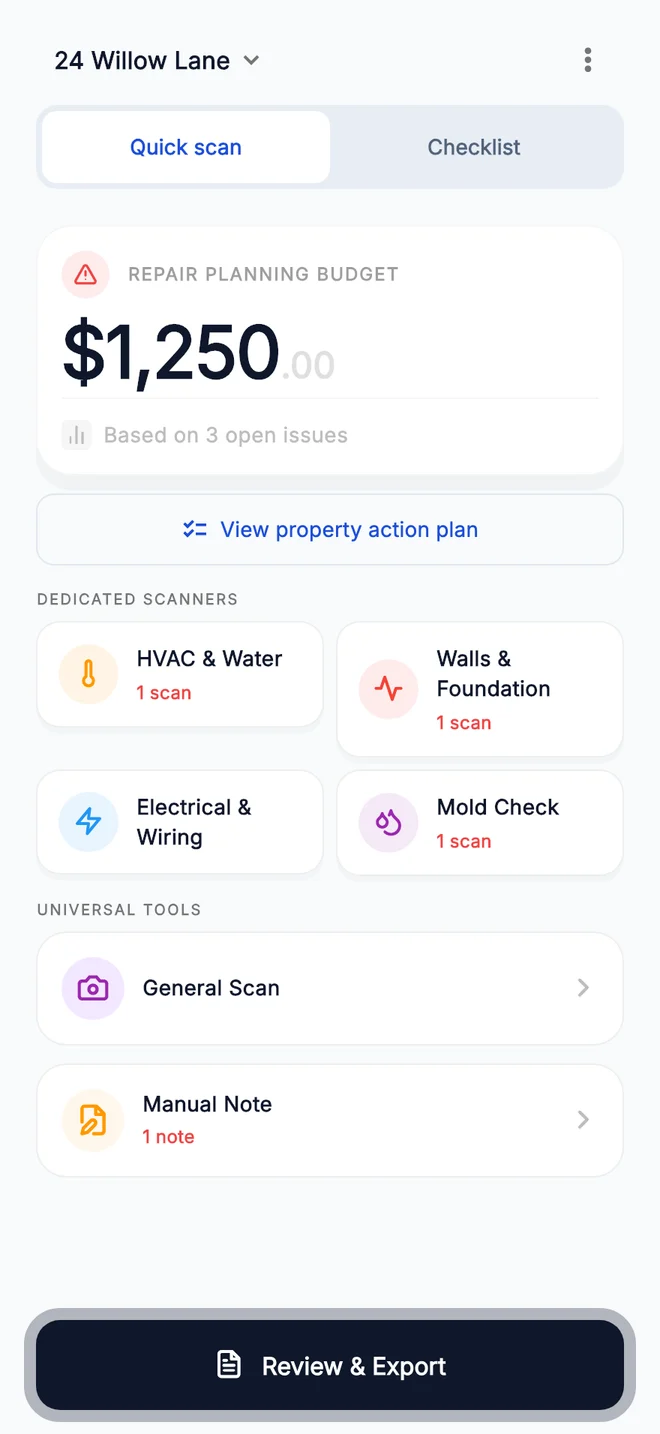
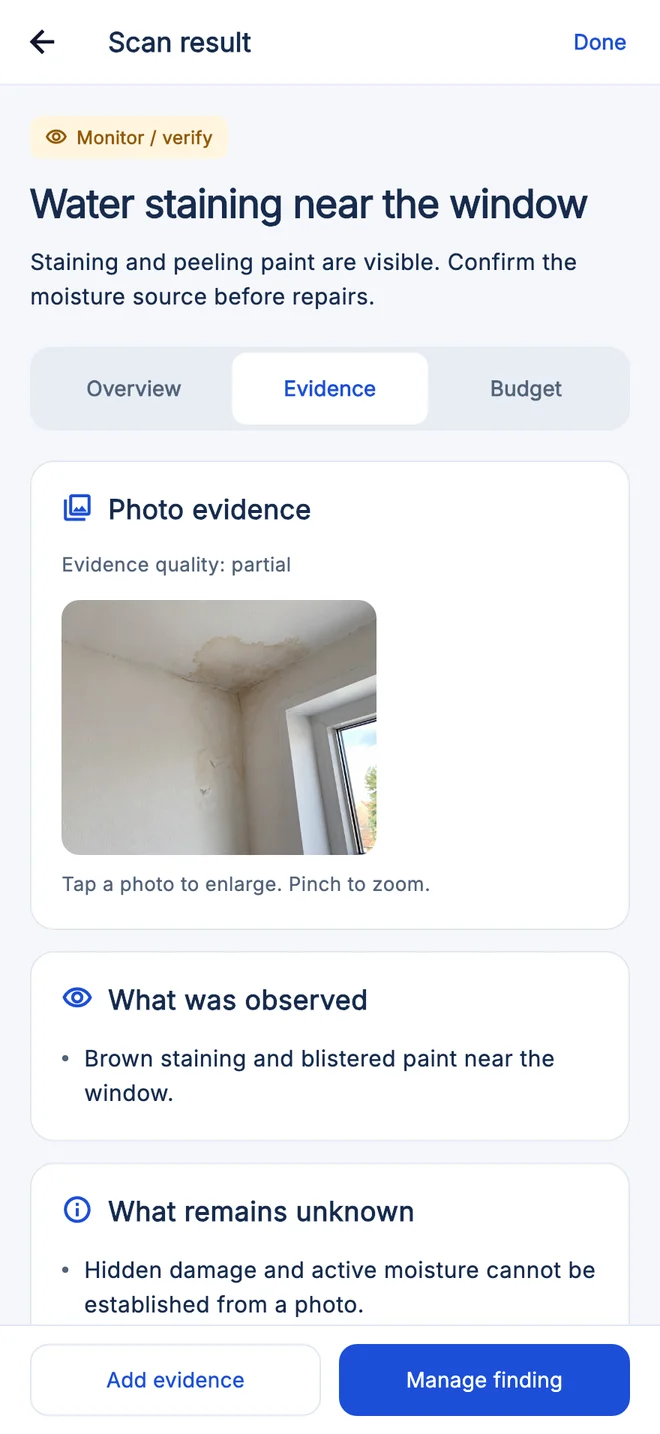
House Inspector turns photos and notes from a walkthrough into a structured preliminary property record.
How it works
The workflow has three stages: capture visible context, review preliminary observations, and verify material concerns with the right professional.
During the walkthrough
- Create a property record before the walkthrough.
- Scan methodically by exterior, structure, roofline, rooms, and systems.
- Capture a clear overview and close-up for each concern.
- Record the room or exterior location and relevant context.
After the walkthrough
- Review observations, uncertainty, and suggested professional follow-up.
- Treat every result as a hypothesis to verify.
- Review and correct context before sharing.
- Export a preliminary property condition report and share it with an inspector, agent, or contractor.
For first-time homebuyers
First-time buyers face unfamiliar systems and tight deadlines. House Inspector helps create an organized record for later questions.
- Follow the same room and system order in each property.
- Flag observations without trying to diagnose them.
- Ask the inspector what is included and excluded.
- Use written findings and local quotes for decisions.
Keep in mind
- The app cannot tell you whether to buy a home.
- Contract deadlines and remedies require agent or legal guidance.
- Professional inspection and specialty testing remain essential.
For property investors
Investors can use House Inspector to standardize early walkthrough notes before underwriting repair assumptions.
- Use consistent naming and photo coverage.
- Separate observed condition from budget assumptions.
- Request specialist diagnosis for material systems.
- Keep actual invoices separate from preliminary estimates.
Keep in mind
- The app is not an appraisal or investment recommendation.
- It cannot identify all code, permit, occupancy, or environmental issues.
- Returns and repair budgets depend on local professional evidence.
For real estate agents
Agents can use a structured photo record to prepare questions and coordinate follow-up while staying within their role and local duties.
- Label client observations and their source.
- Avoid characterizing an issue as confirmed without evidence.
- Route technical questions to the right professional.
- Track transaction deadlines and document delivery.
Keep in mind
- The app does not provide brokerage, legal, disclosure, or inspection advice.
- Agency duties and disclosure rules vary by jurisdiction.
- Material representations should rely on verified professional evidence.
For homeowners
Homeowners can capture changes over time, group concerns by area, and prepare better information for service calls.
- Photograph the same location from the same angle over time.
- Record weather, equipment operation, and dates.
- Address active leaks and safety concerns promptly.
- Keep professional findings, quotes, and invoices with the observation.
Keep in mind
- Monitoring is not a substitute for timely diagnosis.
- Photos cannot prove stability, air quality, or system safety.
- Do not perform unsafe testing or repairs based on app output.
Plans and pricing
The House Inspector app is free to download. Scans and preliminary property condition reports need a plan, bought as an in-app purchase. These were the US App Store prices on November 1, 2026.
| Plan | Access | US App Store price |
|---|---|---|
| Inspection Pass | Weekly | $5.99 |
| House Hunter | Monthly | $14.99 |
| All-Access Year Pass | Annual | $109.99 |
Plans are designed for
- A short, active home search.
- Ongoing property comparison.
- Longer-term owner or investor documentation.
- Professional teams seeking a custom workflow.
Before you subscribe
- Prices can differ on Google Play and in other countries, and can change; your store shows the current price and renewal period before you confirm.
- Confirm included features before subscribing.
- Manage subscriptions through the store where you purchased them.
- Contact support for product or billing questions.
Important limits
- No concealed-condition detection or destructive testing.
- No confirmation of cause, severity, code compliance, or safety.
- No binding contractor quote, appraisal, or professional inspection.
- It is not inspection software for certifying a professional service.
- Image quality and access affect results; the app cannot operate equipment or measure performance.
- Professionals determine diagnosis, scope, and local compliance.
- Prices and availability can vary by storefront or change over time.
- A subscription does not include a licensed inspection, third-party specialist fees, or repairs.
Sources and further reading
Authorship and review
Published by Castilho Enterprises. No independent professional review is claimed.
Found an error? Read our corrections policy or contact support.
Related resources
An AI home inspection app for homebuyers
House Inspector is an AI home inspection app for iPhone and Android. See what the AI does with your photos, an example result and how it complements an inspector.
Read resourceHow to read a home inspection report
How to read a home inspection report: check the scope, separate observations from recommendations, sort findings by urgency and see an example buyer record.
Read resourceBuild a repair budget from your own estimates
Calculate a low and high repair budget from quantities and your own estimates, add a contingency, and download the itemized worksheet.
Read resource