The house tour checklist app for homebuyers.
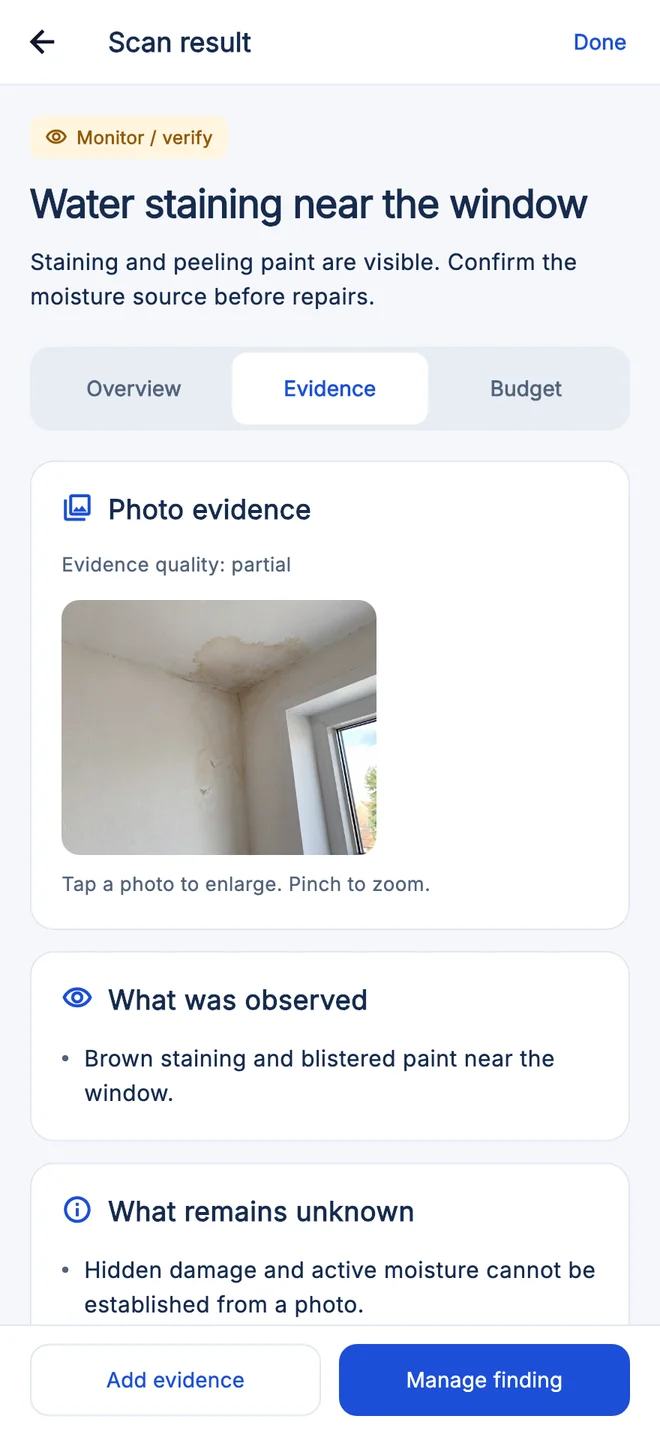
The House Inspector app keeps you on track at every house tour or viewing. Follow the checklist, photograph visible concerns for AI review, and walk into your offer and inspection prepared.
Free to download on iPhone and Android. Built to complement a professional inspection.
See how it works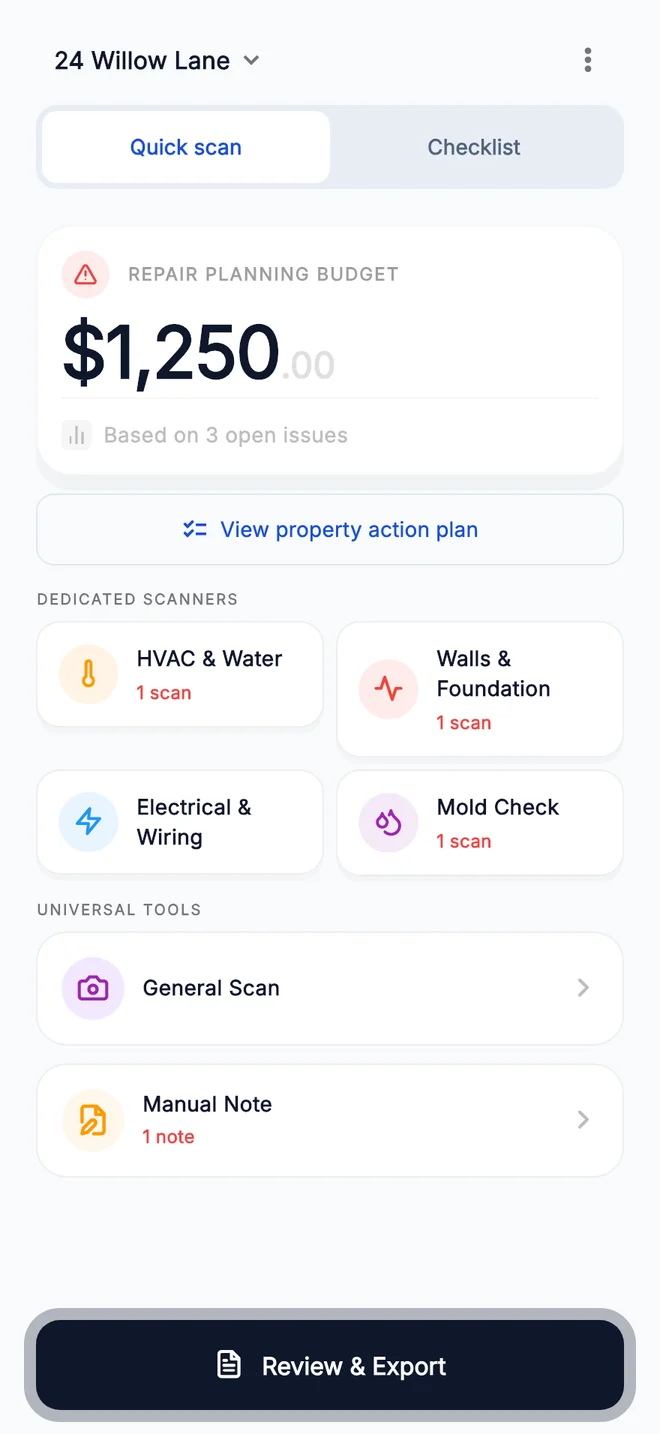
What to check on
every house tour.
Use the free checklist in the same order at every home so you can compare properties afterward. The House Inspector app keeps each home’s photos and notes together.
The street and neighborhood
- Note traffic, noise, parking and how the street feels at the time of day you visit.
- Look at neighboring properties, shared driveways or fences, and any nearby construction.
Outside, from ground level
- Record visible roofline, gutter and downspout concerns from a safe position.
- Note standing water, ground sloping toward the house or staining near the base of walls.
Layout and how you would live there
- Check that bedrooms, bathrooms and storage match your must-have list.
- Notice the natural light in the main rooms and which way the windows face.
Inside, room by room
- Note stains, peeling finishes or unusual odors, and record their exact room and location.
- Record visibly uneven floors or sticking doors and windows without forcing them.
Kitchen and bathrooms
- From accessible areas, record visible water marks around sinks, toilets, tubs and cabinets.
- With permission, run a tap and note the water pressure and how long hot water takes to arrive.
Systems and utilities
- Photograph the labels on the furnace, air conditioner and water heater to record make and age, without opening the equipment.
- Note where the electrical panel is; leave covers and testing to an electrician or inspector.
The details deserve a second look.
A fresh coat of paint doesn’t tell the whole story. Keep a record of visible warning signs so you know what to ask about before moving forward.
A clearer picture.
Three simple steps.
Explore the processCapture what catches your eye.
Photograph visible concerns, equipment labels, and the details you want to remember. Add your own notes as you go.
Make sense of what you see.
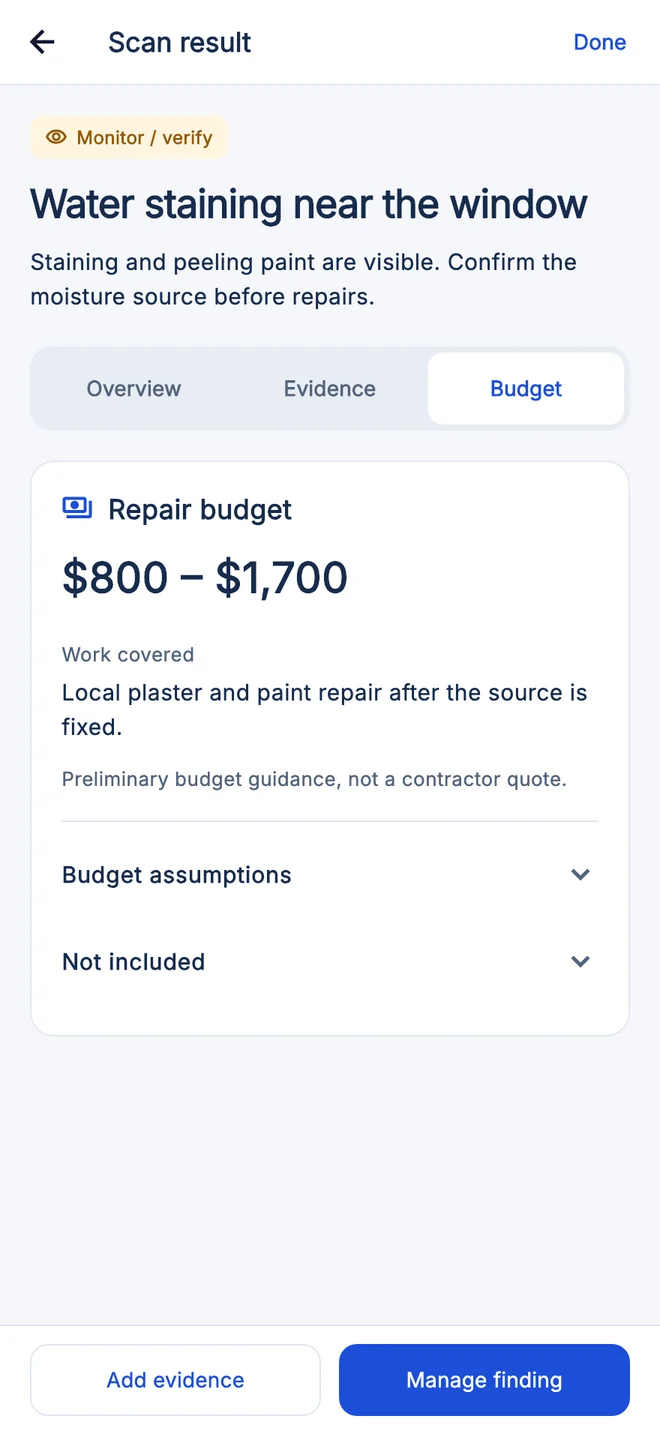
Review AI-assisted observations and preliminary repair ranges, with a clear distinction between visible evidence and what is still unknown.
Take the next step, prepared.
Keep your findings in a property report. Use them to discuss concerns and next steps with your inspector or contractor.
Turn scattered details into a plan.
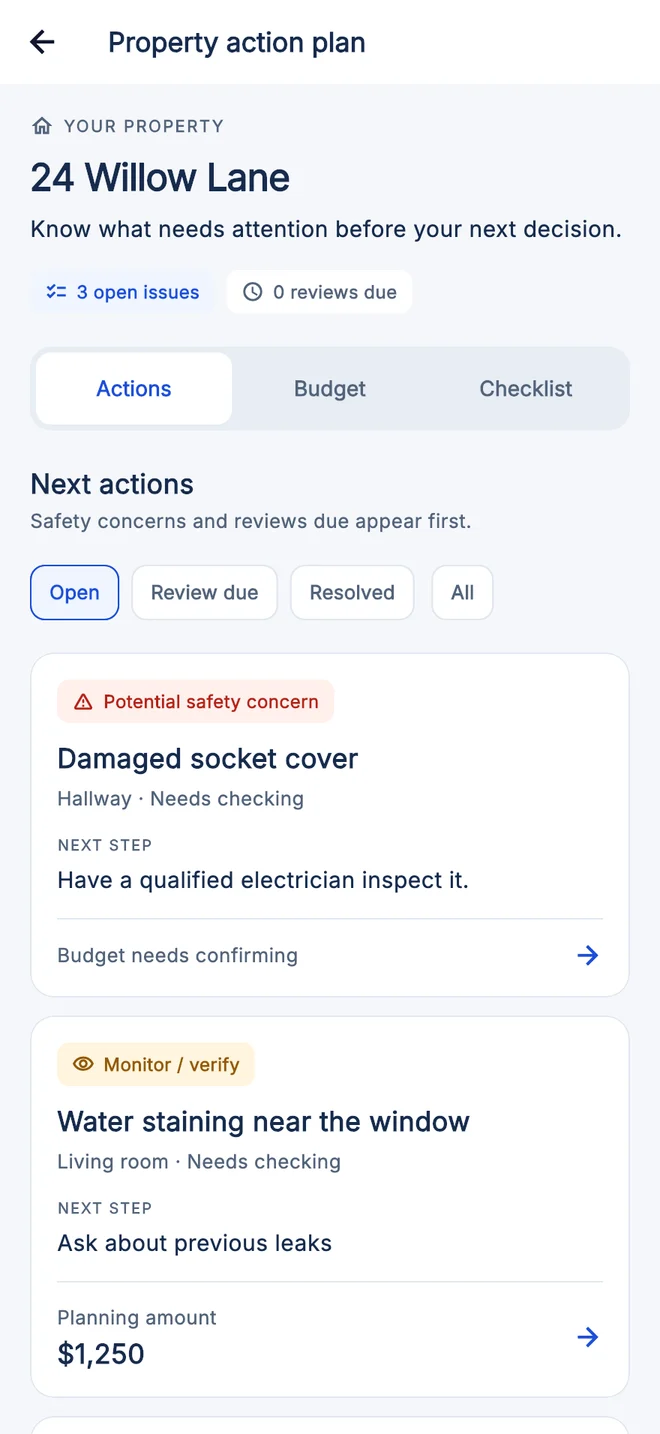
Photos on your camera roll. Questions in your head. House Inspector brings them together, property by property.
A record that stays organized
Keep photo evidence, scan findings and manual notes together.
Next steps you can follow
Track checklist progress and professional follow-ups in your action plan.
Reports you can take with you
Export a PDF of your findings to discuss with the people helping you buy.
Estimates support planning. Confirm costs with a qualified local contractor.
Go into your next viewing prepared.
Use the free checklists, report example and budget worksheet to prepare for a professional inspection. No account is needed for these website tools.
Home inspection cost
Compare published US inspection prices and what add-ons like radon and sewer scope cost.
ExploreVisible warning signs
Document cracks, stains, moisture, electrical clues, and other visible conditions responsibly.
ExploreHome inspection checklist
Use a repeatable system-by-system checklist before and during your professional inspection.
ExploreHow to read an inspection report
Check the scope, sort findings by urgency and download a blank walkthrough record.
ExploreRepair-budget calculator
Total your own repair estimates, add a contingency and download your budget.
ExploreHouse tour checklist
Check the street, layout, visible condition and systems on every house tour or viewing.
Explore
A companion to professional expertise.
House Inspector helps you prepare. It doesn’t replace a licensed inspection, diagnose hidden defects, or provide a contractor’s quote.
Your next home.
Your own timeline.
The House Inspector app is free to download. Choose a pass in the app when you need scans and reports. Prices shown are from the US App Store on November 1, 2026; Google Play and other countries may differ, and your store shows the current price and terms before you buy.
Inspection Pass
Weekly access
$5.99US App Store
For a focused week of house viewings.
- Unlimited scans
- PDF property reports
House Hunter
Monthly access
$14.99US App Store
For the search that takes a little longer.
- Unlimited scans
- PDF property reports
All-Access Year Pass
Annual access
$109.99US App Store
For an ongoing view of your property.
- Unlimited scans
- PDF property reports
Need access for a team? Contact us about professional use.
Pricing and billing detailsGood questions.
Clear answers.
What House Inspector can help with, and where a professional comes in.
Does this replace a licensed home inspector?
No. House Inspector is a preliminary visual screening and documentation tool. A phone camera cannot see behind walls or confirm the cause or severity of a defect. Verify material findings with an appropriately licensed inspector, contractor, electrician, engineer, or other specialist.
How should I use the repair-cost ranges?
Treat them as early budgeting guidance, not contractor quotes. Actual costs vary with location, labor availability, materials, access, permits, and damage that is not visible in a photo.
What devices does this work on?
House Inspector is available for iPhone on the Apple App Store and for Android on Google Play.
Can I use a report for a loan or insurance claim?
The report is intended for personal due diligence and for organizing questions. Acceptance is determined by the lender, insurer, or other recipient, so confirm its requirements directly.