An AI home inspection app for homebuyers
House Inspector is an AI home inspection app for iPhone and Android. Photograph what you see on a house tour, and the app describes visible patterns, lists what a photo cannot show and turns concerns into follow-up tasks. It prepares you for a professional inspection; it does not replace one.
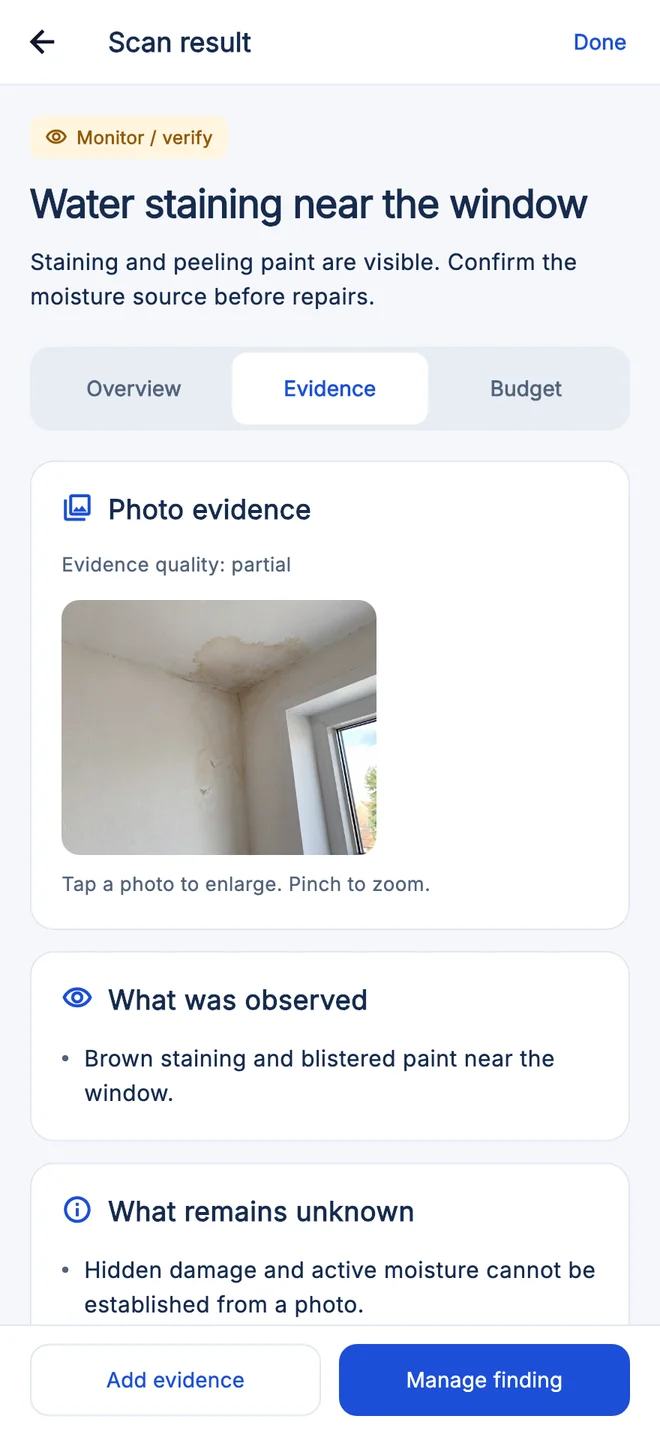
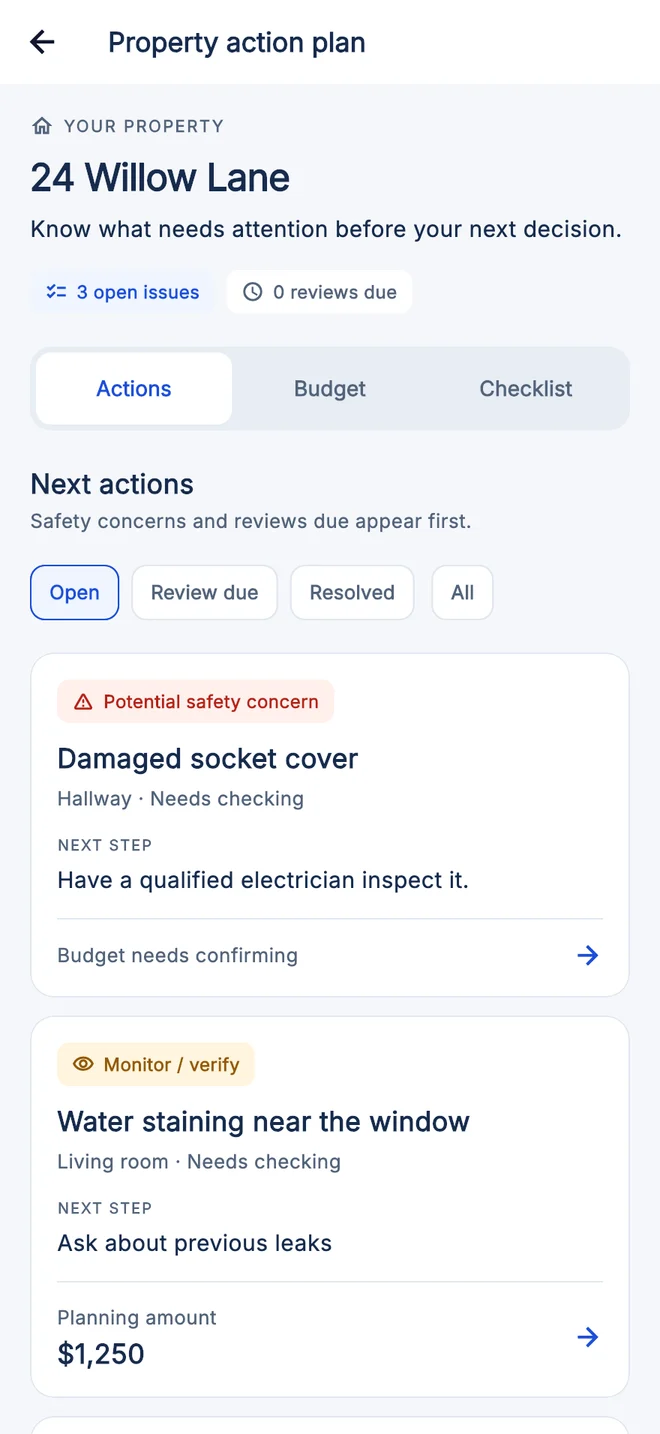
What the AI does with your photos
- Describes visible patterns in each photo, such as staining, cracking, corrosion or damaged materials.
- Separates what the photo shows from what remains unknown, such as the cause or whether a leak is active.
- Gives a preliminary repair planning range so you can ask better budget questions.
- Adds follow-up tasks to the property’s action plan and exports a PDF report you can share with your inspector or agent.
Example: scanning water staining near a window
The screens above are real app screens with illustrative data. For a photo of water staining near a living-room window, the scan result marks the finding “Monitor / verify”. It records what was observed, brown staining and blistered paint, and states what remains unknown: hidden damage and active moisture cannot be established from a photo.
The property action plan then lists the finding with a next step, “Ask about previous leaks”, and a planning amount to confirm. Safety concerns, such as a damaged socket cover that needs a qualified electrician, appear first.
Use each result as a question to verify, not a diagnosis. A stain may turn out to be old and repaired, and a problem behind the wall will not appear in any photo.
Can AI replace a home inspector?
No. An AI app reviews only the photos you take. A professional inspector works on site under a written agreement, operates accessible systems and can recommend specialist evaluation. Use the app before and between visits, and hire an inspector before you rely on the property’s condition.
| Question | AI photo review | Professional home inspection |
|---|---|---|
| When it happens | Before or between visits, using your own photos | On site, under a written inspection agreement |
| What it reviews | Visible conditions in the photos you provide | Accessible systems and components within the agreed scope |
| Operating or testing systems | Not possible from photos | Components that are safely operable, as the agreement allows |
| Specialist follow-up | Helps you prepare questions for the right professional | May recommend specialist evaluation in the written report |
How to use both
- Use the app before or between visits to preserve observations.
- Hire an inspector under a written agreement and review exclusions.
- Arrange separate testing where the property or location warrants it.
- Use all findings to prepare questions within contract deadlines.
Limits of both
- Neither a photo app nor a standard inspection guarantees future condition.
- Inspection scope and licensing vary by jurisdiction.
- Specialty systems and environmental hazards may require separate services.
What AI can get wrong
- AI may miss a visible issue or flag a harmless condition.
- Images do not expose hidden systems or contaminants.
- Training data cannot substitute for local, on-site professional judgment.
Sources and further reading
Authorship and review
Published by Castilho Enterprises. No independent professional review is claimed.
Found an error? Read our corrections policy or contact support.